

Ajax Pagination
Enable Ajax Pagination to provide visitors with seamless post navigation.
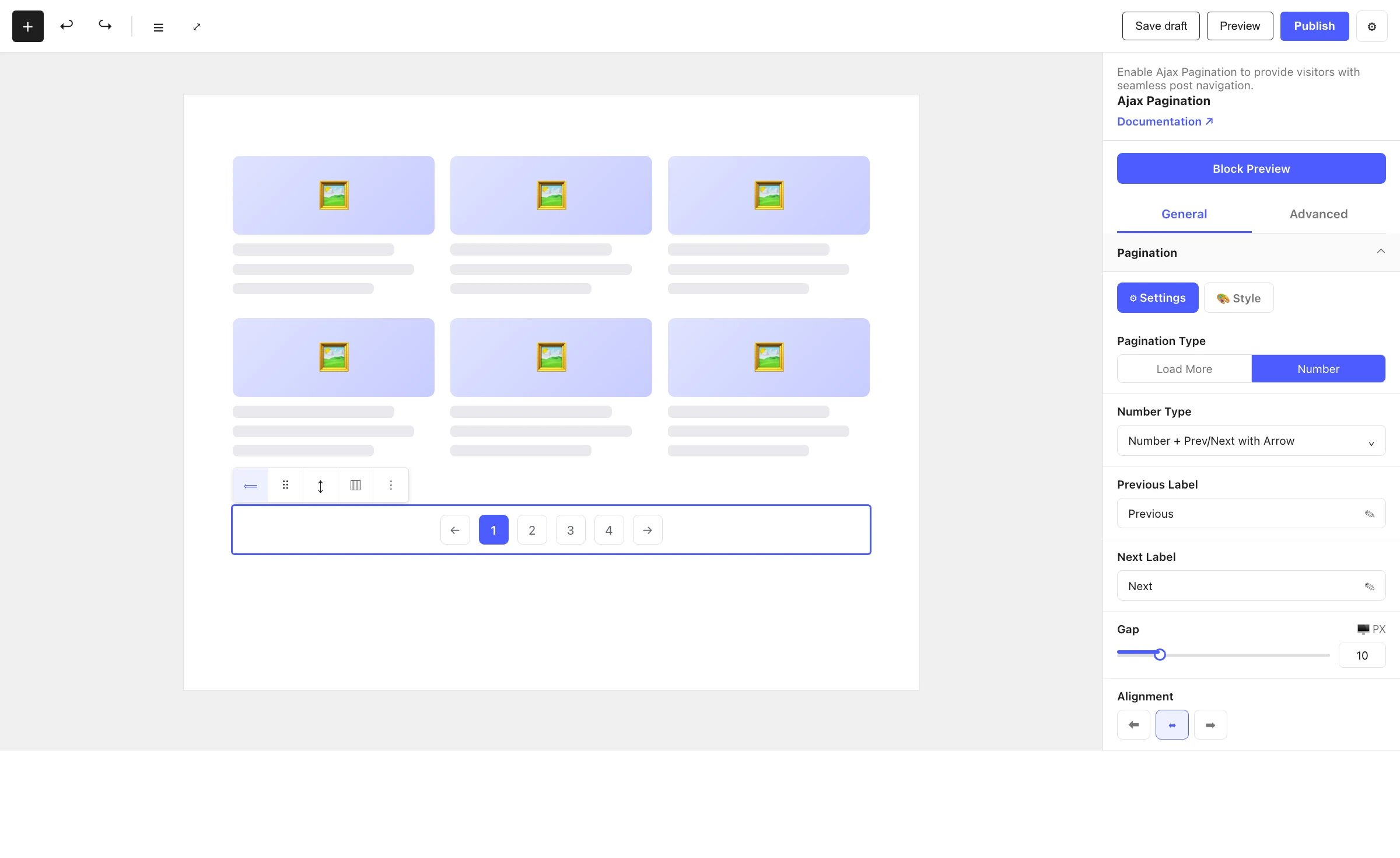
The Ajax Pagination block adds no-reload navigation to a Post Grid or Image Gallery. When a visitor clicks a page number or "Load More", the next batch of posts or images is fetched over AJAX and swapped in place — the page never reloads. It is a child block: you don't insert it directly; it appears automatically inside its parent when pagination is turned on and there is more than one page of content.
When to use it
- To page through a long list of posts in a Post Grid without reloading.
- To load more images in an Image Gallery on demand.
- To offer infinite scrolling for a continuous browsing experience.
How it appears
You do not add Ajax Pagination from the inserter — it is hidden from it. Instead:
- Select a Post Grid or Image Gallery block.
- In the General tab, turn on Pagination.
- The Ajax Pagination block is attached as a child automatically — but only when the content spans more than one page (for Post Grid,
totalPages > 1; for Image Gallery, when the number of images exceeds the items-per-page). - Select the pagination block to style and configure it.
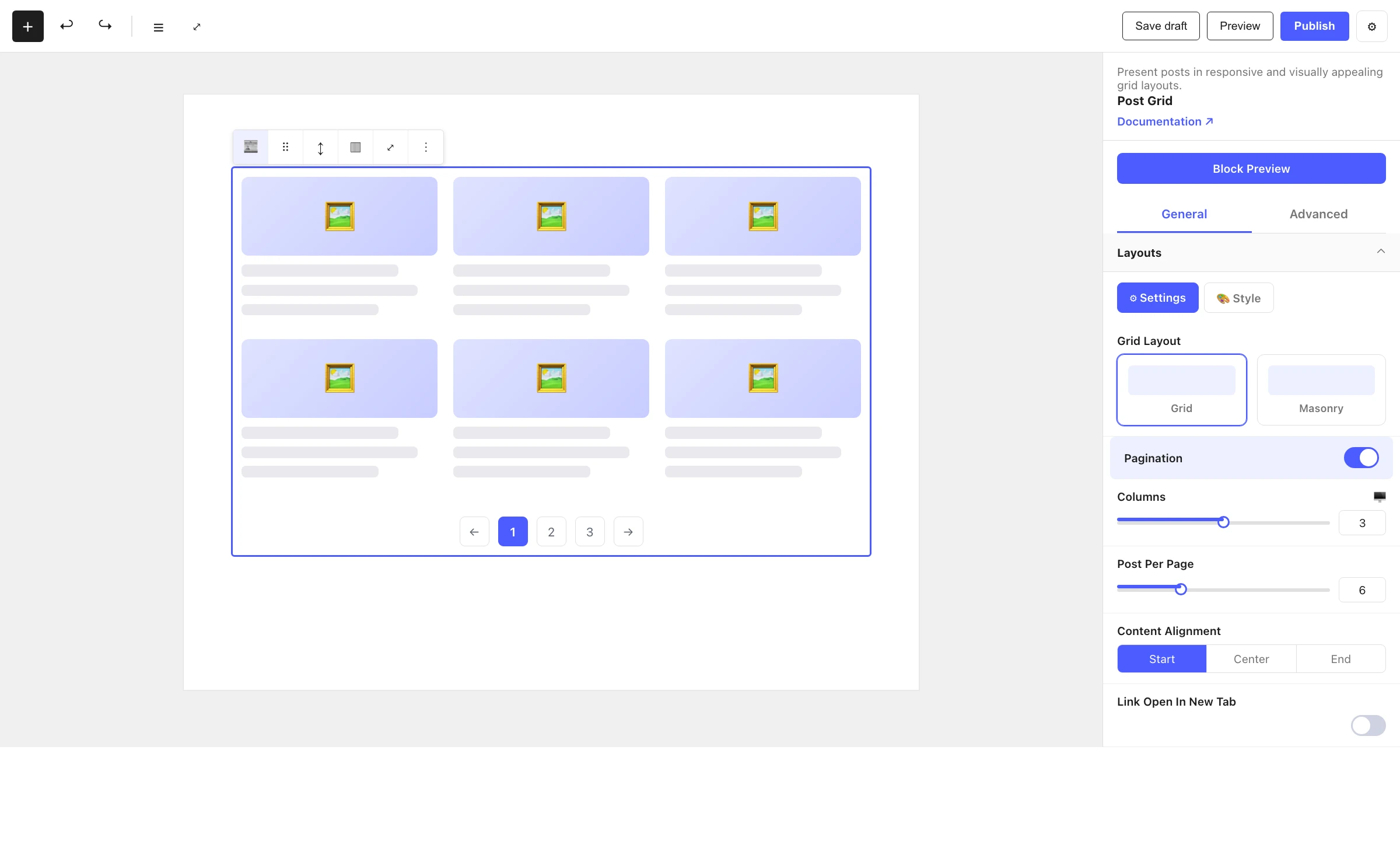
If you turn pagination off, or the content fits on a single page, the block is removed automatically.
Settings
Select the Ajax Pagination block and open the inspector. Settings are split across two tabs: General (specific to this block) and Advanced (shared by all Styble blocks).
General tab
Pagination
| Control | What it does |
|---|---|
| Pagination Type | Choose Load More (button or infinite scroll) or Number (numbered page links). |
| Infinite Scroll | Auto-load the next batch as the visitor scrolls (Load More type). |
| Button Label | Text on the load-more button (Load More, when infinite scroll is off). |
| Ending Message | Message shown when there is nothing left to load (Load More type). |
| Number Type | For numbered pagination — Number, Number + Arrow, Number + Previous/Next with Arrow, or Previous/Next only. |
| Gap | Spacing between pagination items (px / % / em). |
| Previous Label / Next Label | Text for the prev/next controls (shown for the relevant Number Types). |
| Alignment | Align the pagination Left, Center or Right. |
The panel's Style tab adds typography, colors (Normal / Hover / Active states), border, border radius, padding and margin.
Advanced tab
The Advanced tab is shared by every Styble block (Section Preferences, Transform, Scrolling & Motion Effects, Position, Masking, Cursor, Responsive, Attribute, Custom CSS). See Advanced settings for the shared reference.
How navigation works
Pagination navigation is AJAX-based — no full page reload. When a visitor clicks a page number or the load-more button, the parent block's query is sent to the server, the next set of posts or images is rendered server-side, and the result is inserted in place. This keeps scroll position and feels instant.
Nesting & relationships
- Ajax Pagination is a child-only block of Post Grid and Image Gallery.
- It is hidden from the block inserter and attached/removed by its parent based on the Pagination toggle and page count.
- It inherits the query/render context from its parent so it always fetches the correct next page.
Tips & common patterns
- Use Load More for blogs and galleries where visitors browse casually; pair it with a clear Button Label.
- Turn on Infinite Scroll for feed-style pages where uninterrupted scrolling is desired.
- Use Number type (with Previous/Next arrows) for archives where readers expect to jump to a specific page.
- Keep colors and typography aligned with your theme via Global Settings.