

Animated Heading
Create engaging headings with eye-catching animation effects.
The Animated Heading block turns a regular heading into an attention-grabbing element with built-in entrance and emphasis animations. Use it for hero titles, section headers and any text you want to stand out. It also supports a rotating "loop" effect for cycling through multiple words or phrases.
Animated Heading is a dynamic block — its final markup is rendered by PHP on the front end.

See it in action
When to use it
- For hero section titles that animate as the page loads.
- For section headings you want to emphasize with motion.
- For rotating taglines (e.g. "Fast. Secure. Reliable.") using the loop effect.
How to add it
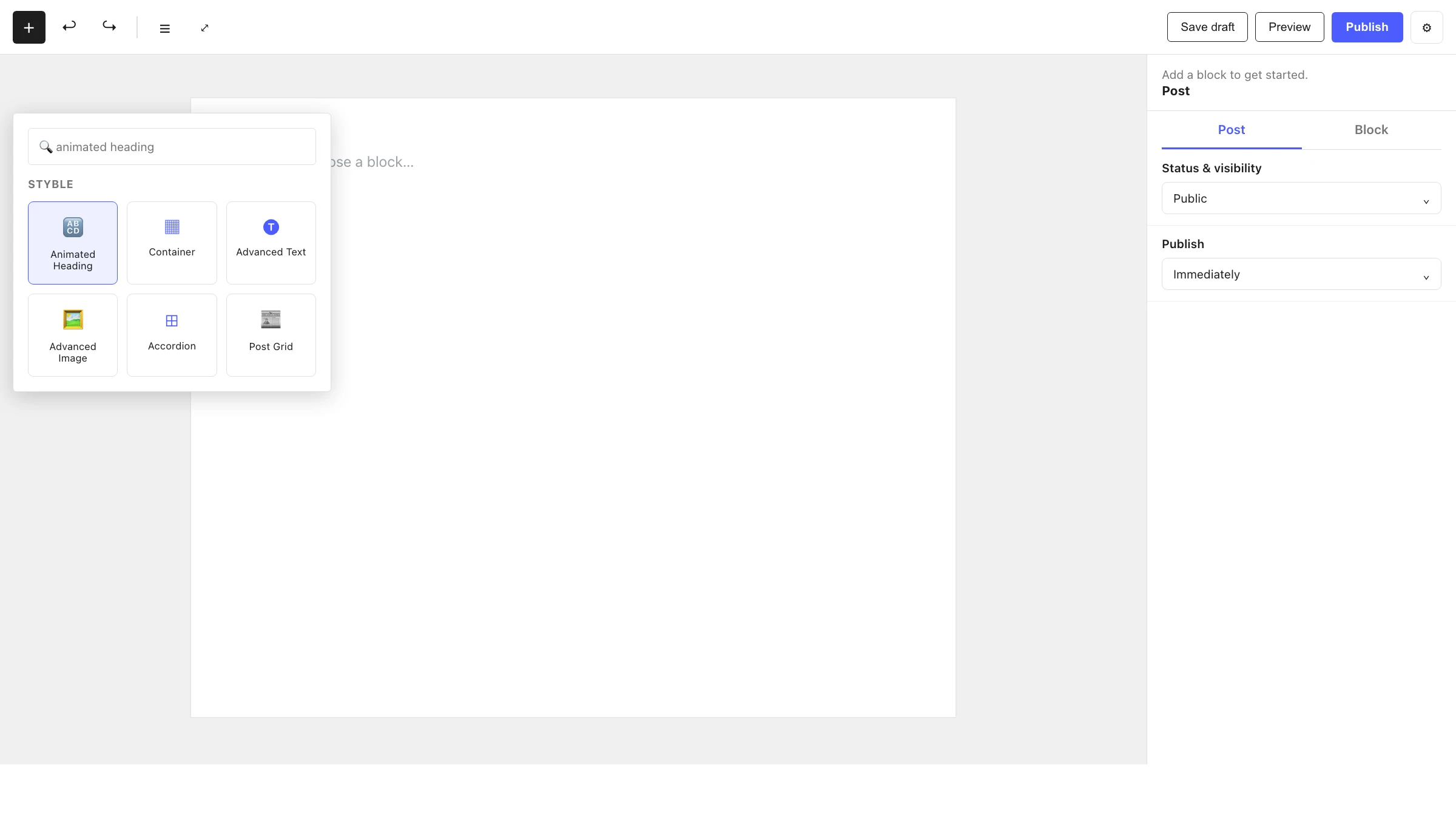
- Click the + block inserter in the editor.
- Search for Animated Heading and select it.
- Type your heading text, then pick an Animation Effects option in the inspector.
- Optionally add a Loop Animation from the block toolbar to rotate through multiple phrases.
Settings
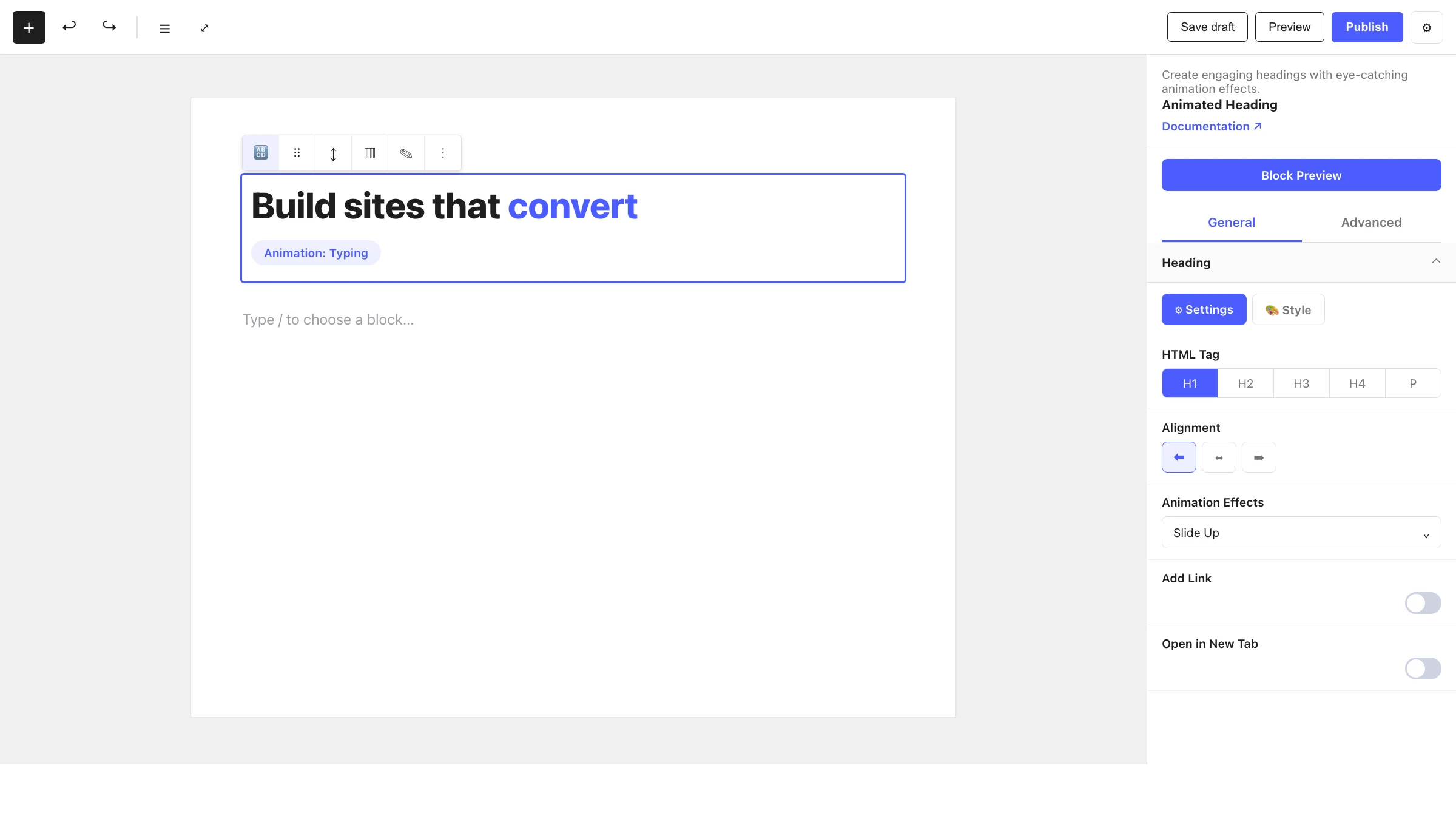
Select the Animated Heading and open the inspector. Settings are split across two tabs: General (specific to this block) and Advanced (shared by all Styble blocks).
General tab
The Heading panel has Settings and Style sub-tabs. The structural controls live under Settings.
Heading
| Control | What it does |
|---|---|
| HTML Tag | Semantic tag for the heading (H1–H6 or P). |
| Alignment | Align the heading left, center or right. |
| Animation Effects | The entrance/emphasis animation: None, Fade In, Waves, Flash, Blur-In, Heartbeats, Swing, Skew, Reveal, Flip HR, Flip VR, Zoom In, Zoom Out, Clip, Scale, Push, Bounce, Shake X, Shake Y, Slide Up, Slide Down, Slide Right or Slide Left. |
| Add Link | Make the heading link to a URL, with open in new tab, no-follow and custom relation options. |
Styling
The Style sub-tab controls typography and colors, drawing from your Global Settings tokens. You can also highlight specific words and add a rotating Loop Animation from the block toolbar.
Advanced tab
The Advanced tab is shared by every Styble block. See Advanced settings.
Nesting & relationships
- Animated Heading is a standalone block — it doesn't require a parent.
- Place it inside a Container or Column to position it within a layout.
- Supports wide and full width alignment from the block toolbar.
Tips & common patterns
- Use Slide Up or Fade In for subtle, professional hero titles.
- Add a Loop Animation to rotate through several phrases in a single headline.
- Highlight a key word in your heading to draw the eye, then pair it with a softer animation.
- Keep your HTML Tag semantically correct (one H1 per page) for accessibility and SEO.
- Define heading typography and colors in Global Settings for site-wide consistency.